Ziza Dark Theme
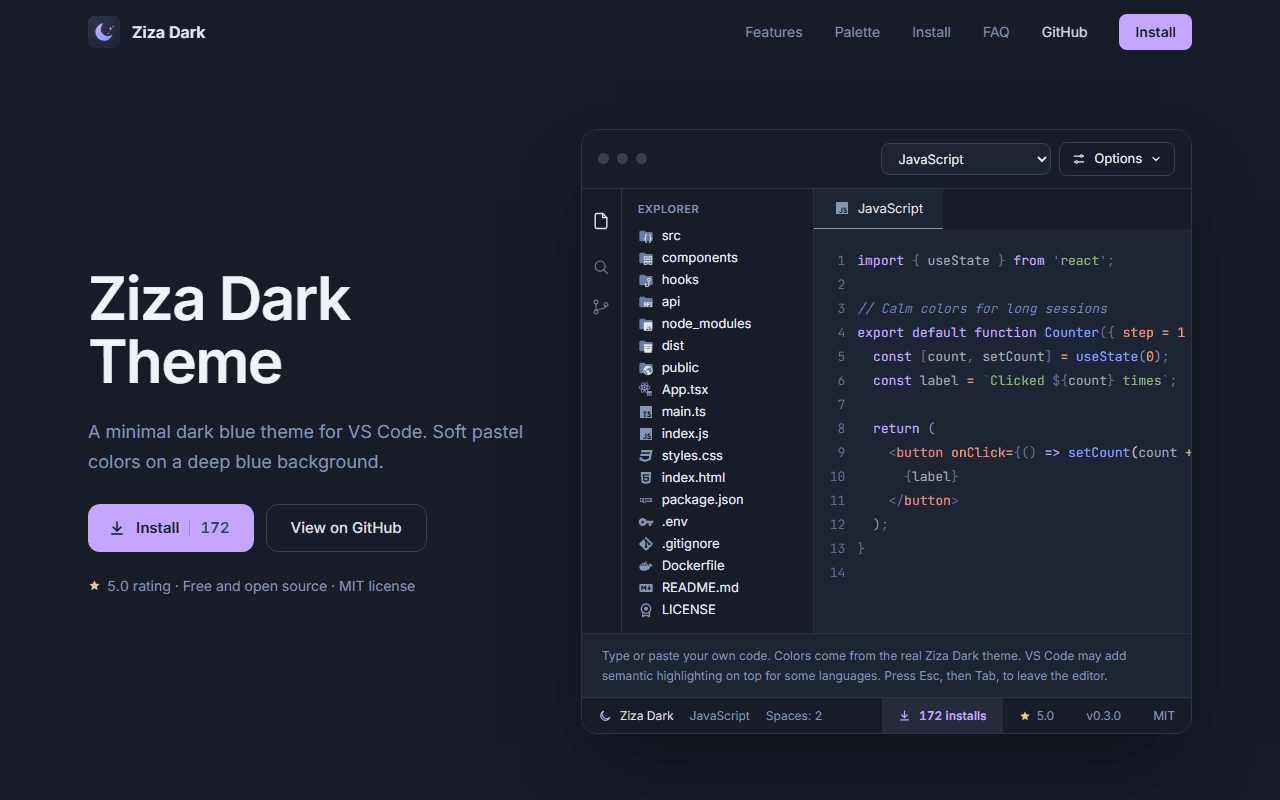
A color theme is hard to sell with words. We built a product site where visitors can type real code into a live editor and see the theme before they install it.
Developers choose a theme by how it looks with their own code. Marketplace screenshots only go so far, and a plain listing does not explain the palette, the icon pack, or how to switch variants.
The theme also needed a home of its own: something fast, accessible, and easy to find when someone searches for a minimal dark blue VS Code theme.
We built a single-page product site in the theme's own deep blue, with an interactive editor at the top. Visitors can choose a language, paste their own code and see the real Ziza Dark colors immediately.
Below it, the site explains the palette, the Midnight and Mist variants, the matching file icons, and a two-step install, followed by an FAQ that answers the questions people actually ask.
see it before you install it
Live editor preview
A VS Code-style window with a file explorer, language selector and an editable code area shows the theme's real colors on code the visitor can type or paste.
Clickable palette
Every syntax and workspace color is listed with its role and hex code, and clicking a swatch copies the value.
Icon pack showcase
Ziza Moon Icons are shown in monochrome and tinted versions, with the file types and folders covered.
Two-step install
Clear steps and a copy-ready Quick Open command take visitors from curious to installed in under a minute.
written to be found and cited
FAQ for search and AI
Short, direct answers about price, installation, variants, icons, language support and supported VS Code versions.
Complete metadata
Titles, descriptions, canonical URLs and a generated social preview image make the theme look right wherever it is shared.
Structured data and sitemap
Schema markup, a sitemap and a robots file help search engines understand and index the site.
Accessible by default
A skip link, keyboard-friendly controls and carefully chosen contrast keep the site comfortable to use.
Try before you install
Visitors judge the theme on their own code, which makes the decision to install easier.
One clear home for the project
The palette, variants, icons, install steps and FAQ live on one page that can be linked from the Marketplace and GitHub.
Built to be found
Direct FAQ answers and structured data give the theme a better chance of being surfaced in search and AI answers.
Consistent with the product
The site uses the same palette it advertises, so the page itself is a live demonstration.
Want something like this?
We build custom websites and platforms tailored to how your business actually operates. Tell us about your project and we'll figure out the best path forward together.